What does Housecall Pro do well?
Housecall Pro runs the day-to-day of a home service company. Its pricing page, checked November 3, 2026, lists these on every plan from Basic: Essentials adds routes, flat-rate pricing, checklists, photo reports, GPS tracking, commissions and QuickBooks Online sync. Max adds the sales proposal tool, which Housecall Pro describes as building "visual sales proposals with customized images and side-by-side comparisons", along with recurring service plans, route optimization, open API access and a dedicated onboarding specialist. Every plan includes live phone and chat support and mobile apps for iOS and Android. There is a 14-day trial. PoolQuote does none of the operations side: it does not do scheduling, invoicing or job management, and it takes no payments.
- online booking from Google or your website
- scheduling and dispatch
- estimates and invoicing, with customers paying online
- payments and consumer financing
- a price book, job costing and review management
Where does Housecall Pro leave gaps for a pool build?
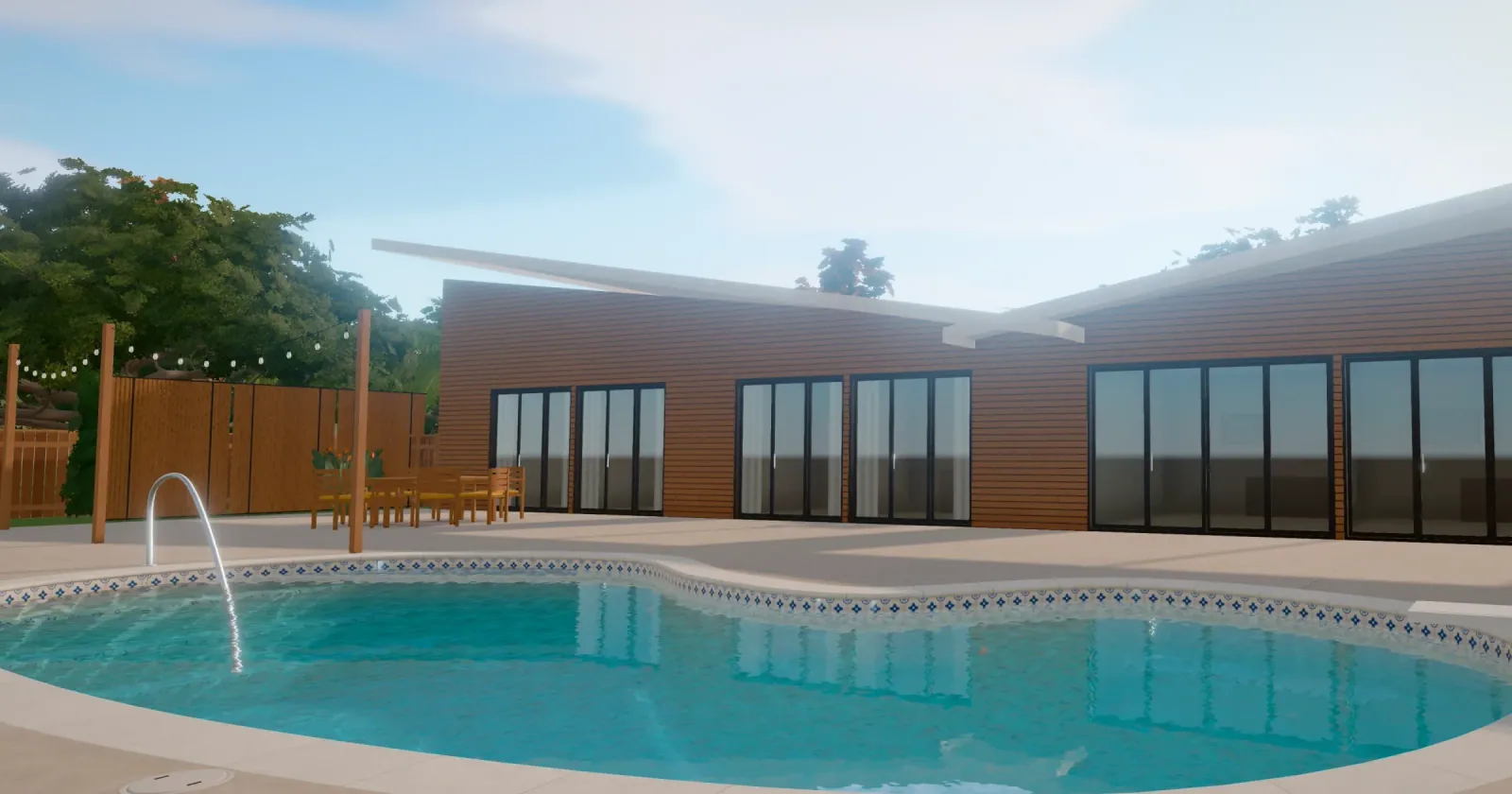
For a new pool, the homeowner usually wants to see the finished yard and the cost of each upgrade before saying yes. Housecall Pro describes its visual proposals as built with customized images, and they sit on Max, its highest listed plan. Its pricing page doesn't list images generated of the pool on the customer's own yard or quantities measured from a site plan (checked November 3, 2026).
PoolQuote vs Housecall Pro at a glance
Housecall Pro facts from housecallpro.com/pricing, checked November 3, 2026. "Not listed" means we didn't find it on that page.
- What it is. Housecall Pro: Home service software: booking, dispatch, invoicing, payments. PoolQuote: Visual quote software with a built-in quote CRM for US pool builders.
- Visual proposals. Housecall Pro: Sales proposal tool on Max: customized images, side-by-side comparisons. PoolQuote: On every plan: AI concept images of your catalogue items on the property, 2D site plan, 3D view.
- Options. Housecall Pro: Side-by-side comparisons (Max). PoolQuote: Up to 5 options, A to E, each with its own pictures and total.
- Quantities. Housecall Pro: Price book and flat-rate pricing. PoolQuote: From a to-scale 2D site plan; missing ones stay "Waiting for a quantity".
- Homeowner response. Housecall Pro: Pay online; consumer financing. PoolQuote: Approve, ask a question, request a change, like a design, download a PDF; no payment on the page.
- Scheduling, invoicing, payments. Housecall Pro: Yes. PoolQuote: No.
- Users. Housecall Pro: Basic 1, Essentials 5, Max 8 (+$35/user/mo). PoolQuote: Base and Entry: 1 seat.
- Price. Housecall Pro: Basic $59/mo annual or $79 monthly; Essentials $149 or $189; Max $299 or $329. PoolQuote: Base $99/mo; Entry $149/mo or $1,500/yr with a website.
Who should stay on Housecall Pro alone?
- Pool service and repair companies with recurring visits and routes.
- Builders who are already on Max and are happy with its sales proposal tool.
- Companies that want financing offered on the same page as the estimate. PoolQuote takes no payment and offers no financing.
Who should add PoolQuote to Housecall Pro?
When the homeowner approves an option in PoolQuote, the office creates the job in Housecall Pro for scheduling, invoicing and payment. The two don't connect today, so the approved scope is entered by hand.
- Builders on Basic or Essentials who want visual proposals without moving the whole company to Max.
- Salespeople who want each option to carry its own pictures of the customer's yard and its own total.
- Builders who want quote quantities from a measured plan, and a homeowner page that records opens, reading time and questions.
How does a job move from PoolQuote to Housecall Pro?
1. Create the project in PoolQuote with the customer's name and address. Add phone photos, or send the homeowner a request link so they upload their own. 2. Draw the pool, deck and fence on the 2D site plan so its measurements fill the quote's quantities, then build the options from your catalogue and packages. 3. Publish one link. While the homeowner reads, PoolQuote records opens and time spent, for example "6 min · mostly Option B". After two minutes or more of reading with no question or sign of interest, it suggests a call about that option. 4. Schedule a follow-up as a call, email or text reminder for a date and time. 5. When the homeowner approves, create the job in Housecall Pro with the approved scope and total, and run scheduling, invoicing, payment and any financing there.
Worked example: visual proposals for one salesperson
Subscription prices as of November 3, 2026, billed annually where offered. This compares the cost of getting visual proposals for a one-person sales team, not the full value of either product. Max includes 8 users and other features the cheaper plans don't, so a team that needs those already has the proposal tool. For a builder who mainly wants pictures on the quote, Basic or Essentials plus PoolQuote costs less a month. On Sample Pool Company's fictional 16 × 32 pool, the PoolQuote link carries Option A at $60,850 and Option B at $78,120; the deposit is collected in Housecall Pro after the yes.
- Housecall Pro Max (includes the sales proposal tool, 8 users): $299
- Housecall Pro Basic + PoolQuote Base: $59 + $99: $158
- Housecall Pro Essentials + PoolQuote Base: $149 + $99: $248
What is Housecall Pro's sales proposal tool?
Housecall Pro lists it on the Max plan as a "$40/mo value" for building "visual sales proposals with customized images and side-by-side comparisons" (pricing page, checked November 3, 2026).
Can PoolQuote replace Housecall Pro?
No. PoolQuote does not do scheduling, invoicing or job management, and it takes no payments or financing. It covers the quote and the homeowner's decision.
Does PoolQuote connect to Housecall Pro?
No. PoolQuote imports customer lists from CSV or XLSX files.
Does PoolQuote have a mobile app?
It runs in the web browser on a phone, tablet or computer. Housecall Pro has iOS and Android apps.
Try PoolQuote with Housecall Pro
Select Get started to choose a plan and send your next proposal from a real property, then keep Housecall Pro for the job. The Jobber comparison covers the same setup with Jobber. The pricing page lists current plans, or you can book a demo.